
🔥 Hot

Grab - Taxi & Food Delivery
Grab is #1 all-in-one taxi, ride hailing, transport, express grocery shopping and food delivery app in Southeast Asia
🏃In a rush? We’ll get you where you’re going in style. Find a taxi, carpool, or hire a car!
🍔 Satisfy your cravings: order food delivery from your favourite restaurants
🛍️ Had a long day? Save yourself a trip to the store with grocery delivery
💸 No wallet needed: use Grab to pay for shopping across the city
All in one simple, convenient app. Whatever you need, from food delivery to a last-minute taxi, Grab has you covered.
🚕 Taxi, cab, and transport services for any budget (and occasion!) ⭐️
Ride taxis in comfort: Get affordable, upfront fixed rates with JustGrab or GrabTaxi –wherever you’re going.
Discover seamless city travel in the ultimate taxi app for booking safe and a convenient ride whenever you need it. Wherever your heading, Grab makes it easy to find a reliable taxi in minutes.
Enjoy the flexibility of modern transport by becoming your own taxi booker and choosing from a range of options, including fast rideshare solutions. With Grab, every taxi ride is designed for comfort, efficiency, and peace of mind.
Carpool like a pro thanks to GrabHitch, with advance bookings and cashless payments… or rideshare in style with a GrabExec limousine ride!
Need extra assistance? Find a more accessible taxi ride with GrabAssist and get picked up by Agency for Integrated Care (AIC) taxi drivers.
Want to be in the driving seat? Hire an affordable luxury car through GrabCar, GrabCar Plus or GrabCar Premium. Ride solo or with your crew.
Travel with friends, family, or even pets! 🐶 Book taxis with bicycle racks, space for furry friends and booster seats for little ones – or minibuses for larger parties. Try GrabCar for Cyclists, GrabPet, GrabFamily or GrabCoach.
🍕 Food delivery to suit every taste 🍟
Get food delivery from your favourite restaurant or mart, delivered straight to your doorstep, with GrabFood.
Using a food delivery app can save you time, offering a variety of cuisines at your fingertips, perfect for busy days
Order groceries, healthcare and beauty products, gifts, and more with GrabMart. Put your feet up, and get delivery within 30 minutes!
Safely send your items anywhere – book affordable, reliable, insured couriers with GrabExpress.
Forgotten a birthday? Save the day with a digital gift card! Give money off Grab taxi rides, food delivery, or groceries, thanks to GrabGift.
💸 Designed for seamless shopping 🛍️
Switch to secure, cashless payments for taxi rides, transport services, food delivery, grocery orders and more with GrabPay.
Take out flexible insurance to suit you with GrabInsure. Find a plan that suits you, and sort everything through the Grab app.
Need more time? Pay for Grab delivery orders and online shopping at the end of the month, in one single payment, with PayLater by Grab.
Don’t want to carry your wallet? Set up a pre-paid GrabPay Card and shop at any physical or online shop!
🎁 Earn rewards for using Grab ✨
Order the things you love with Grab, and get points to redeem on awesome deals with GrabRewards. It’s that simple!
Did you know?
You can use the Grab app in 8 countries: Singapore, Indonesia, Malaysia, Thailand, Vietnam, Philippines, Cambodia and Myanmar.
Find out more about us at https://www.grab.com/
Follow us on Facebook (https://www.fb.com/grab), X (https://X.com/grabsg) and Instagram (https://www.instagram.com/grab_sg)
Privacy policy at https://www.grab.com/privacy
Terms of Service: https://grab.com/terms
OSS attributions: http://grb.to/oss-attributions
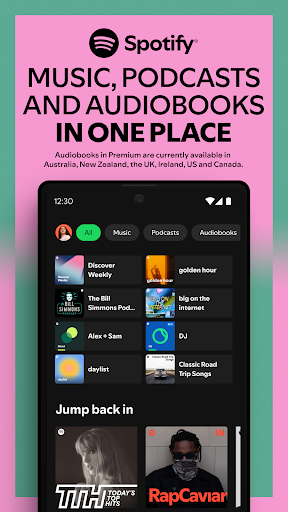

Spotify: Music and Podcasts
With the Spotify music and podcast app, you can play millions of songs, albums and original podcasts for free. We have even added audiobooks, so you can enjoy thousands of stories wherever you are!
Stream music and podcasts, listen to audiobooks, discover albums, playlists or even single songs for free on your mobile or tablet. Subscribe to Spotify Premium to download and listen offline wherever you are.
Spotify gives you access to a world of free music, curated playlists, artists, and podcasts you love. Discover podcasts, new music, top songs or listen to your favorite artists and albums.
WHY SPOTIFY FOR MUSIC AND PODCASTS?
• Listen to over 80 million songs and 4 million podcasts (and counting)
• Enjoy over 300,000 newly added audiobook titles
• Discover new music, albums, playlists and original podcasts.
• Search for your favorite song or artist by typing a lyric
• Enjoy amazing sound quality on music and podcasts across all devices.
• Create and share your own music playlists to suit your mood or discover other playlists you might like.
• Listen to daily music mixes made just for you.
• Explore top songs from different genres, countries or decades.
• Subscribe to your favourite podcasts so that you never miss an episode, then curate your very own podcast library.
• Bookmark individual podcasts into Playlists
• Listen to music and podcasts on your mobile, tablet, desktop, PlayStation, Chromecast, TV, Wear OS or wearable device.
Listen and discover the latest music from artists like;
• Bad Bunny
• Billie Eilish
• Renzo Pianciola
• The Temper Trap
• Harry Styles
Listen to your favorite music artists all day every day via the Popular Radio playlist feature. Here are just some of the artists we’ve already curated;
• Taylor Swift
• Drake
• Eminem
• Coldplay
• Paolo Nutini
• Fleetwood Mac
Listen to over 40 category genres - New Releases, Charts, Live Events, Made for You, At Home, Only You, Summer, Pop, Workout, Hip-Hop, Mood, Party, Pride, Dance/Electronic, Alternative, Indie, Equal, Wellness, Rock, Frequency, R&B, Disney,, Throwback, Radar, Chill, Sleep, In the car, Kids & Family, Caribbean, Classical, Romance, Jazz, Instrumental, Afro, Christian and Gospel and Country.
Listen to popular and exclusive podcasts like;
• The Joe Rogan Experience
• Modern Wisdom
• 2 Bears, 1 Cave with Tom Segura and Bert Kreischer
• Call Her Daddy and Crime Junkie
Search, discover and play music, podcasts and audiobooks from all over the world for free, anywhere, anytime or create your own music playlists with the latest songs to suit your mood.
WHY GO PREMIUM?
• Listen to albums and playlists without ad breaks.
• Download and listen to music and podcasts offline, wherever you are.
• Jump back in and listen to your top songs with on-demand playback.
• Choose from 4 subscription options – Individual, Duo, Family, Student. There’s no commitment and you can cancel any time
Audiobooks in Premium currently available in Australia, the UK & the US. Discover 250,000+ titles, 15 hours/month of available listening for Premium Individual subscribers and Duo & Family plan managers.
Experience Spotify on your Wear OS device:
• Enjoy your favourite music and podcasts without having your phone around.
• Control playback on your phone or any of your Spotify compatible devices.
• Download your favourite content for offline listening on the go (Premium only).
• Get instant access to Spotify with our Tiles and Complications.
Please note: This app features Nielsen’s audience measurement software which will allow you to contribute to market research, such as Nielsen’s Audio Measurement. If you don't want to participate, you can opt-out within the app settings. To learn more about our digital audience measurement products and your choices in regard to them, please visit https://www.nielsen.com/digitalprivacy for more information.

Shazam: Find Music & Concerts
Shazam can identify songs playing around you or in other apps, even with headphones on. Discover artists, song lyrics, and upcoming concerts—all for free. With over 2 billion installs and 300 million users worldwide!
“Shazam is an app that feels like magic” - Techradar.com (http://techradar.com/)
“Shazam is a gift... a game changer” - Pharrell Williams, GQ interview
“I don’t know how we ever survived before Shazam” - Marshmello
WHY YOU’LL LOVE IT
* Identify the name of songs in an instant.
* Your song history, saved and stored in one place.
* Open any song directly in Apple Music, Spotify, YouTube Music, and Deezer.
* Browse concerts by popularity or search by artist, location, and date.
* Follow along with time-synced lyrics.
* Watch music videos from Apple Music or YouTube.
* Get Shazam for Wear OS.
SHAZAM ANYWHERE, AT ANY TIME
* Use your Notification Bar to identify music in any app—Instagram, YouTube, TikTok...
* Quickly identify songs from your Home Screen using the Shazam Widget
* No connection? No problem! Shazam works offline.
* Turn on Auto Shazam to search for more than one song, even when you leave the app.
WHAT ELSE?
* Find out what is popular in your country or city with Shazam charts.
* Get recommended songs and playlists to discover new music.
* Listen to and add songs to Apple Music playlists.
* Share songs with friends through Snapchat, Facebook, WhatsApp, Instagram, X (formally Twitter), and more.
* Enable the Dark theme on Shazam.
* View a song's popularity by checking its Shazam count on the app.
* Explore songs similar to those you've discovered.
Optional App Permission
-Microphone: To identify a song that’s playing around you when you tap to Shazam.
-Location: To show you where your songs were identified, display upcoming events in your area, and improve the quality of the service.
-Notification: To send you notifications that are personalized based on your Shazam activity.
You can use Shazam even without providing consent to any of the above optional app permissions. However, some features of the service may not be available.
Availability and features may vary by country.
For more information on Shazam’s privacy practices, please read the Privacy Policy, available at: https://www.apple.com/legal/privacy/.
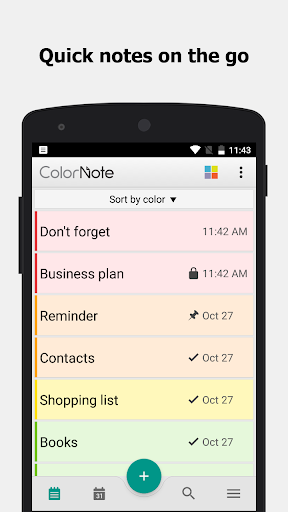

ColorNote Notepad Notes
ColorNote® is a simple and awesome notepad app. It gives you a quick and simple notepad editing experience when you write notes, memos, e-mails, messages, shopping lists and to-do lists. Taking notes with ColorNote® Notepad is easier than any other notepad or memo pad app.
* Notice *
- If you cannot find the widget, then please read the FAQ below.
- When you're finished using the notepad, an automatic save command preserves your individual note.
* Product Description *
ColorNote® features two basic note taking formats, a lined-paper styled text option, and a checklist option. Add as many as you want to your master list, which appears on the app's home screen each time the program opens. This list may be viewed in traditional ascending order, in grid format, or by note color.
- Taking a Note -
Serving as a simple word processing program, the text option allows for as many characters as you're willing to type. Once saved, you can edit, share, set a reminder, or check off or delete the note through your device's menu button. When checking off a text note, the app places a slash through the list's title, and this will be displayed on the main menu.
- Making To-do List or Shopping List -
In the checklist mode, you can add as many items as you'd like and arrange their order with drag buttons activated in the edit mode. After the list is finished and saved, you may check or uncheck each line on your list with a quick tap, which will toggle a line slash. If all items have been checked, then the list's title is slashed as well.
* Features *
- Organize notes by color (color notebook)
- Sticky note memo widget (Put your notes on your home screen)
- Checklist notes for To do list & Shopping list. (Quick and simple list maker)
- Checklist notes to get things done (GTD)
- Organize your schedule by note in calendar
- Write a diary and journal in calendar
- Password Lock note : Protect your notes with passcode
- Secured backup notes to SD storage
- Supports online back up and sync. You can sync notes between phone and tablet.
- Reminder notes on status bar
- List/Grid View
- Search notes
- Notepad supports ColorDict Add-on
- Powerful task reminder : Time Alarm, All day, Repetition.(lunar calendar)
- Quick memo / notes
- Wiki note link : [[Title]]
- Share notes via SMS, e-mail or Twitter
* Online backup and sync cloud service *
- Notes will be encrypted before uploading notes by using the AES standard, which is the same encryption standard used by banks to secure customer data.
- It does not send any of your notes to the server without you signing in.
- Sign-in with Google or Facebook.
* Permissions *
- Internet Access: For online backup & sync notes
- Storage : For backup notes to the storage of the device
- Prevent phone from sleeping, control vibrator, automatically start at boot: For reminder notes
* FAQ *
Q: How do you put a sticky note widget on the home screen?
A: Go to the home screen and hold down your finger on an empty space and choose widget, Color Note will then be desplayed so you can stick on the page.
Q: Why don't the widget, the alarm and notes remider functions work?
A: If the app is installed on the SD card, your widget, reminder, etc. will not work properly because Android doesn't support these features when installed on an SD card! If you have already moved the app to an SD card, but want those features, then you have to move the app back on the device and reboot your phone.
Settings - Applications - Manage Applications - Color Note - Move to Device
Q: Where are backed up notes data on the SD card?
A: '/data/colornote' or '/Android/data/com.socialnmobile.dictapps.notepad.color.note/files' on SD card
Q: I forgot my master password. How can I change it?
A: Menu → Settings → Master Password → Menu Button → Clear Password. You will lose your current locked notes when you clear the password!
Q: How can I create todo list note?
A: New - Select checklist note - Put items - Save. Tap an item to strikethrough.

Facebook
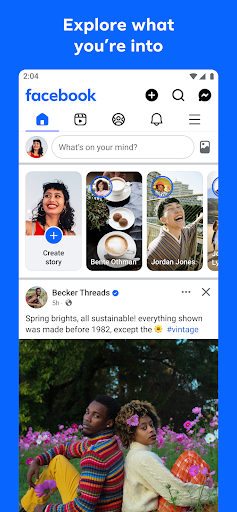
Where real people propel your curiosity. Whether you’re thrifting gear, showing reels to that group who gets it, or sharing laughs over fun images reimagined by AI, Facebook helps you make things happen like no other social network.
Explore and expand your interests:
* Shop Marketplace for hidden gems and take your hobbies to the next level
* Personalize your Feed to see more of what you like, less of what you don’t
* Ask Meta AI for information and get answers instantly
* Drive into reels that reflect the things you're interested in
* Search Facebook on any topic and get more interactive results
Connect with people and communities:
* Join groups to learn tips from real people who’ve been there, done that
* Get inspired by creators, or catch up with Friends
* Add new Friends to your world, but also decide how closely to keep up with them
* Privately message relatable posts that only your BFF will get or that reels trend everyone’s talking about
* Catch up with your friends through video and voice calls
Share your world:
* Use generative AI to create custom stickers and images to delight friends
* Customize your profile to choose how you show up and who sees your posts
* Effortlessly create reels from trending templates, or showcase your creativity with a full suite of editing tools
* Capture moments on the fly with stories
Some features may not be available in your country or region.
Terms & Policies: https://www.facebook.com/policies_center
Privacy Policy: https://www.facebook.com/privacy
Learn how we're working to help keep our communities safe across Meta technologies at the Meta Safety Center: https://about.meta.com/actions/safety
✍️ Good reviews


Coscos
Coscos is a live social community with so many users around the world where you can connect with new friends, and watch talented creators
You can make real friends, chat with your favorite creators using our real-time chat, and join the new wave of social communication.


Digital Key Connect - Car Key
Tired of fumbling around for your keys? Want to get real-time updates on your car's status? Digital Key Connect - Car Key, the app that turns your smartphone into a smart and powerful car control center.
Experience Convenience and Control of your vehicle:
✅ Wirelessly LOCK & UNLOCK car doors on your phone: a simple tap on your smartphone screen. Whether you're rushing into the house and forgot to lock up, or want to grant a trusted friend temporary access, Digital Key Connect - Car Key provides instant and reliable door control. This is your ultimate digital car key solution.
✅ Real-time Tire Pressure, Access Monitoring on your phone: Digital Key Connect - Car Key app will car key connect seamlessly with your vehicle's sensors to display the current pressure of each tire directly on your smartphone.
✅ Comprehensive Vehicle Status Tracking on your phone, including tire pressure, oil / EV battery level, and receive safety alerts to avoid risks of road accidents or engine breakdown when driving. Stay informed about your car's condition before you even step inside, allowing you to plan your journeys with confidence and anticipate any potential maintenance needs.
✅ SMART MAP to remotely locate your car or find the fastest routes to car parks or gas / EV charging stations on maps.
✅ Integrated CarAI virtual assistant helps solve your problems
Benefits of Using Digital Key Connect - Car Key:
Enhanced Security:
Remotely lock your car doors for added peace of mind, no matter where you are.
IIncreased Convenience:
Unlock car effortlessly, especially useful when your hands are full or in inclement weather.
Proactive Vehicle Maintenance:
Stay informed about your tire pressure and other vital vehicle stats to prevent potential issues and ensure optimal performance.
Improved Fuel Efficiency:
Maintaining correct tire pressure, as monitored by the app, can contribute to better fuel economy.
Extended Tire Lifespan:
Timely alerts about low tire pressure can help you avoid premature tire wear.
Instant Access to Information:
The Car AI Assistant provides quick and easy answers to your car-related questions, eliminating the need for manual searches.
Greater Confidence on the Road:
Knowing your car's status in real-time empowers you to drive with more assurance.
Your Digital Car Key:
Replace your traditional key with the convenience of your smartphone.
Seamless Car Key Connect:
Establish a reliable and secure connection with your vehicle.
Digital Key Connect - Car Key app isn't just another remote control app; it's your personal Car AI Assistant, providing seamless access, vital vehicle information, and unparalleled convenience right at your fingertips. Imagine a world where you can effortlessly manage your car's essential functions and gain deeper insights into its status, all through the intuitive interface of your smartphone. That future is now, with Digital Key Connect - Car Key.
Thanks and Best Regards,
Terms of Use: https://cooldev.vn/p/1/privacy-policy
Privacy Policy: https://cooldev.vn/p/2/terms-of-service
Contact Us: [email protected]


QuickBars for Home Assistant
Bring your smart home to the big screen. QuickBars for Home Assistant puts fast, beautiful controls on Android/Google TV so you can toggle lights, adjust climate, run scripts, and more—without leaving what you’re watching.
What it does
• Instant overlays (QuickBars): Launch an interactive sidebar over any app for tap-fast control of your favorite Home Assistant entities.
• Remote key actions: Map single, double, and long-press on your TV remote to open a QuickBar, toggle an entity, or launch another app.
• Camera PIP: Import your MJPEG streams and display them as PIP.
• Deep customization: Choose entities, icons, names, order, colors, and more to tailor the experience.
• TV-first UX: Built for Android/Google TV with smooth animations and a clean, couch-friendly layout.
• Launch a QuickBar or PIP from Home Assistant: Requires persistent background connection enabled, allows you to launch a camera PIP or a QuickBar based on an Home Assistant automation!
• Backup & Restore: Backup your Entities, QuickBars and Trigger keys manually and restore them, even to a different TV!
Private & secure
• Local connection: Connect directly to your Home Assistant using IP + a Long-Lived Access Token (optional remote access via HTTPS).
• Hardware-backed encryption: Your credentials are encrypted and stored locally; they never leave the device except to communicate with Home Assistant.
• Clear permission prompts for Accessibility (to capture remote button presses) and Display over other apps (to show overlays).
Easy setup
• Guided onboarding: Where to find your Home Assistant URL and how to create a token.
• QR Token Transfer: Scan a QR code and paste your token from your phone—no tedious typing on TV.
Entity management
• Import the entities you care about, rename them with friendly names, choose icons, customize single/long-press actions, and reorder freely.
• Automatically flags orphaned entities that were removed from Home Assistant.
Free vs Plus
• Free: 1 QuickBar & 1 Trigger Key. Full styling options. Full single/double/long-press support.
• Plus (one-time purchase): Unlimited QuickBars & Trigger Keys, plus advanced layouts:
• Position QuickBars at Top / Bottom / Left / Right of the screen
• For left/right positions, choose 1-column or 2-column grid
Requirements
• A running Home Assistant instance (local or reachable via HTTPS).
• Android/Google TV device.
• Permissions: Accessibility (for remote key capture) and Display over other apps.
Take control of your home from the couch. Download QuickBars for Home Assistant and make your TV the smartest remote you own.
QuickBars for Home Assistant is an independent project and is not affiliated with Home Assistant or the Open Home Foundation.

Pick Up Limes
Introducing the brand new Pick Up Limes App
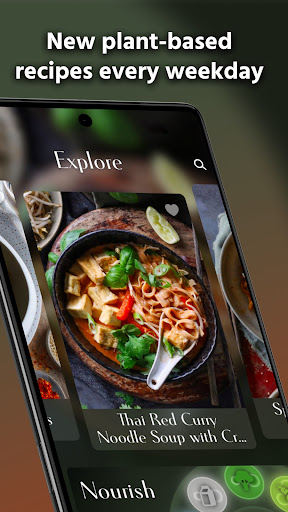
Dive into plant-based eating with a vast collection of delicious, easy, and nourishing recipes. Enhance your culinary skills and embrace a wholesome lifestyle, enjoying personalized meal plans right at your fingertips.
Main features include
- 1200+ recipes with fresh ones added every weekday.
- Step-by-step instructions and vibrant photos to help you become a more confident chef.
- Unlimited personalized meal plans tailored to your age, weight, height, gender, and activity level.
- Plan and track your nourishment with our unique Nourish method, a number-free food guideline, made specifically for plant-based eaters.
- Add your own recipes and let the app calculate their nutrition content.
- Easily make grocery lists, optimized for stress-free shopping.
- Build a personal collection of your favorite recipes by saving and liking them.
Recipes
Crafted by an amazing team, supported by dietitians including Sadia, our recipes are nutritious, balanced, and delicious. We focus on "Nourishing the Cells & the Soul" by eating wholesome foods, while also tuning into our hunger cues and cravings. Features that make cooking with this app easy include:
- Effortless search and filtering.
- Scale recipes to accommodate parties of any size.
- Clear instructions with photos, cross-out features, and personal notes.
- Engage in recipe discussions for tips and support.
- Discover ingredient substitutions and ideal recipe pairings.
- Comprehensive nutrient info is displayed in a way to avoid triggering disordered eating.
- Instantly add recipes to your grocery list and weekly meal plan.
Nourish
Introducing the Nourish Method, a unique plant-based food guideline that helps you make balanced choices. Developed with dietitians and backed by research, you'll meet your nutrition goals by following this method. But don’t take our word for it, try and see it for yourself. How this app helps to nourish yourself.
- Recipes are broken down into food groups to help you make balanced choices.
- Learn about each food group and get recommendations to boost your intake.
- Generate personalized meal plans that meet your nutrition needs based on your age, weight, height, gender, and activity level.
- Add your own food items and recipes to fully personalize your planning & tracking experience.
- Get in-depth nutrition analyses of the plans you create.
- Personalize your nutrition goals if you have specific needs or if you just want to get nitty-gritty.
- Quickly navigate between the days of the week, and copy and paste your plans for repeated use.
- Swiftly add plans to your grocery list.
Membership
Try out the app for free for the first 7 days. After that, continue with a monthly or annual subscription.
Join us in the Pick Up Limes App!
With love,
Sadia and the Pick Up Limes team.
Discount and tax percentage ca
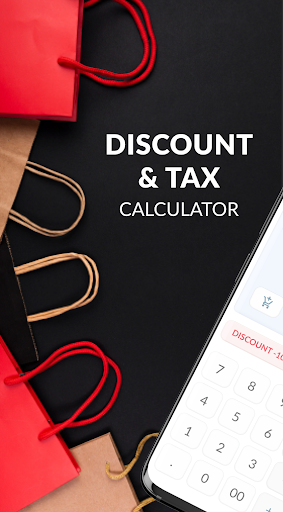
Discount Calculator is the ideal shopping companion. Calculate the final price after a discount with a simple, intuitive experience and minimal effort. Just enter your sale price, choose your discount percentage, and let the calculator do the math!
You can also set a tax value for price tags where tax is not included, or to adjust for different retail tax rates by state.
Download this app now and make all your future shopping trips a breeze!
◆ Set discount or tax percentage using slider or buttons
◆ Use built-in calculator for math
◆ Save discounted price to history
🔥 Hot Comments
Grab - Taxi & Food Delivery
Grab is #1 all-in-one taxi, ride hailing, transport, express grocery shopping and food delivery app in Southeast Asia
🏃In a rush? We’ll get you where you’re going in style. Find a taxi, carpool, or hire a car!
🍔 Satisfy your cravings: order food delivery from your favourite restaurants
🛍️ Had a long day? Save yourself a trip to the store with grocery delivery
💸 No wallet needed: use Grab to pay for shopping across the city
All in one simple, convenient app. Whatever you need, from food delivery to a last-minute taxi, Grab has you covered.
🚕 Taxi, cab, and transport services for any budget (and occasion!) ⭐️
Ride taxis in comfort: Get affordable, upfront fixed rates with JustGrab or GrabTaxi –wherever you’re going.
Discover seamless city travel in the ultimate taxi app for booking safe and a convenient ride whenever you need it. Wherever your heading, Grab makes it easy to find a reliable taxi in minutes.
Enjoy the flexibility of modern transport by becoming your own taxi booker and choosing from a range of options, including fast rideshare solutions. With Grab, every taxi ride is designed for comfort, efficiency, and peace of mind.
Carpool like a pro thanks to GrabHitch, with advance bookings and cashless payments… or rideshare in style with a GrabExec limousine ride!
Need extra assistance? Find a more accessible taxi ride with GrabAssist and get picked up by Agency for Integrated Care (AIC) taxi drivers.
Want to be in the driving seat? Hire an affordable luxury car through GrabCar, GrabCar Plus or GrabCar Premium. Ride solo or with your crew.
Travel with friends, family, or even pets! 🐶 Book taxis with bicycle racks, space for furry friends and booster seats for little ones – or minibuses for larger parties. Try GrabCar for Cyclists, GrabPet, GrabFamily or GrabCoach.
🍕 Food delivery to suit every taste 🍟
Get food delivery from your favourite restaurant or mart, delivered straight to your doorstep, with GrabFood.
Using a food delivery app can save you time, offering a variety of cuisines at your fingertips, perfect for busy days
Order groceries, healthcare and beauty products, gifts, and more with GrabMart. Put your feet up, and get delivery within 30 minutes!
Safely send your items anywhere – book affordable, reliable, insured couriers with GrabExpress.
Forgotten a birthday? Save the day with a digital gift card! Give money off Grab taxi rides, food delivery, or groceries, thanks to GrabGift.
💸 Designed for seamless shopping 🛍️
Switch to secure, cashless payments for taxi rides, transport services, food delivery, grocery orders and more with GrabPay.
Take out flexible insurance to suit you with GrabInsure. Find a plan that suits you, and sort everything through the Grab app.
Need more time? Pay for Grab delivery orders and online shopping at the end of the month, in one single payment, with PayLater by Grab.
Don’t want to carry your wallet? Set up a pre-paid GrabPay Card and shop at any physical or online shop!
🎁 Earn rewards for using Grab ✨
Order the things you love with Grab, and get points to redeem on awesome deals with GrabRewards. It’s that simple!
Did you know?
You can use the Grab app in 8 countries: Singapore, Indonesia, Malaysia, Thailand, Vietnam, Philippines, Cambodia and Myanmar.
Find out more about us at https://www.grab.com/
Follow us on Facebook (https://www.fb.com/grab), X (https://X.com/grabsg) and Instagram (https://www.instagram.com/grab_sg)
Privacy policy at https://www.grab.com/privacy
Terms of Service: https://grab.com/terms
OSS attributions: http://grb.to/oss-attributions
Spotify: Music and Podcasts
With the Spotify music and podcast app, you can play millions of songs, albums and original podcasts for free. We have even added audiobooks, so you can enjoy thousands of stories wherever you are!
Stream music and podcasts, listen to audiobooks, discover albums, playlists or even single songs for free on your mobile or tablet. Subscribe to Spotify Premium to download and listen offline wherever you are.
Spotify gives you access to a world of free music, curated playlists, artists, and podcasts you love. Discover podcasts, new music, top songs or listen to your favorite artists and albums.
WHY SPOTIFY FOR MUSIC AND PODCASTS?
• Listen to over 80 million songs and 4 million podcasts (and counting)
• Enjoy over 300,000 newly added audiobook titles
• Discover new music, albums, playlists and original podcasts.
• Search for your favorite song or artist by typing a lyric
• Enjoy amazing sound quality on music and podcasts across all devices.
• Create and share your own music playlists to suit your mood or discover other playlists you might like.
• Listen to daily music mixes made just for you.
• Explore top songs from different genres, countries or decades.
• Subscribe to your favourite podcasts so that you never miss an episode, then curate your very own podcast library.
• Bookmark individual podcasts into Playlists
• Listen to music and podcasts on your mobile, tablet, desktop, PlayStation, Chromecast, TV, Wear OS or wearable device.
Listen and discover the latest music from artists like;
• Bad Bunny
• Billie Eilish
• Renzo Pianciola
• The Temper Trap
• Harry Styles
Listen to your favorite music artists all day every day via the Popular Radio playlist feature. Here are just some of the artists we’ve already curated;
• Taylor Swift
• Drake
• Eminem
• Coldplay
• Paolo Nutini
• Fleetwood Mac
Listen to over 40 category genres - New Releases, Charts, Live Events, Made for You, At Home, Only You, Summer, Pop, Workout, Hip-Hop, Mood, Party, Pride, Dance/Electronic, Alternative, Indie, Equal, Wellness, Rock, Frequency, R&B, Disney,, Throwback, Radar, Chill, Sleep, In the car, Kids & Family, Caribbean, Classical, Romance, Jazz, Instrumental, Afro, Christian and Gospel and Country.
Listen to popular and exclusive podcasts like;
• The Joe Rogan Experience
• Modern Wisdom
• 2 Bears, 1 Cave with Tom Segura and Bert Kreischer
• Call Her Daddy and Crime Junkie
Search, discover and play music, podcasts and audiobooks from all over the world for free, anywhere, anytime or create your own music playlists with the latest songs to suit your mood.
WHY GO PREMIUM?
• Listen to albums and playlists without ad breaks.
• Download and listen to music and podcasts offline, wherever you are.
• Jump back in and listen to your top songs with on-demand playback.
• Choose from 4 subscription options – Individual, Duo, Family, Student. There’s no commitment and you can cancel any time
Audiobooks in Premium currently available in Australia, the UK & the US. Discover 250,000+ titles, 15 hours/month of available listening for Premium Individual subscribers and Duo & Family plan managers.
Experience Spotify on your Wear OS device:
• Enjoy your favourite music and podcasts without having your phone around.
• Control playback on your phone or any of your Spotify compatible devices.
• Download your favourite content for offline listening on the go (Premium only).
• Get instant access to Spotify with our Tiles and Complications.
Please note: This app features Nielsen’s audience measurement software which will allow you to contribute to market research, such as Nielsen’s Audio Measurement. If you don't want to participate, you can opt-out within the app settings. To learn more about our digital audience measurement products and your choices in regard to them, please visit https://www.nielsen.com/digitalprivacy for more information.
Shazam: Find Music & Concerts
Shazam can identify songs playing around you or in other apps, even with headphones on. Discover artists, song lyrics, and upcoming concerts—all for free. With over 2 billion installs and 300 million users worldwide!
“Shazam is an app that feels like magic” - Techradar.com (http://techradar.com/)
“Shazam is a gift... a game changer” - Pharrell Williams, GQ interview
“I don’t know how we ever survived before Shazam” - Marshmello
WHY YOU’LL LOVE IT
* Identify the name of songs in an instant.
* Your song history, saved and stored in one place.
* Open any song directly in Apple Music, Spotify, YouTube Music, and Deezer.
* Browse concerts by popularity or search by artist, location, and date.
* Follow along with time-synced lyrics.
* Watch music videos from Apple Music or YouTube.
* Get Shazam for Wear OS.
SHAZAM ANYWHERE, AT ANY TIME
* Use your Notification Bar to identify music in any app—Instagram, YouTube, TikTok...
* Quickly identify songs from your Home Screen using the Shazam Widget
* No connection? No problem! Shazam works offline.
* Turn on Auto Shazam to search for more than one song, even when you leave the app.
WHAT ELSE?
* Find out what is popular in your country or city with Shazam charts.
* Get recommended songs and playlists to discover new music.
* Listen to and add songs to Apple Music playlists.
* Share songs with friends through Snapchat, Facebook, WhatsApp, Instagram, X (formally Twitter), and more.
* Enable the Dark theme on Shazam.
* View a song's popularity by checking its Shazam count on the app.
* Explore songs similar to those you've discovered.
Optional App Permission
-Microphone: To identify a song that’s playing around you when you tap to Shazam.
-Location: To show you where your songs were identified, display upcoming events in your area, and improve the quality of the service.
-Notification: To send you notifications that are personalized based on your Shazam activity.
You can use Shazam even without providing consent to any of the above optional app permissions. However, some features of the service may not be available.
Availability and features may vary by country.
For more information on Shazam’s privacy practices, please read the Privacy Policy, available at: https://www.apple.com/legal/privacy/.
ColorNote Notepad Notes
ColorNote® is a simple and awesome notepad app. It gives you a quick and simple notepad editing experience when you write notes, memos, e-mails, messages, shopping lists and to-do lists. Taking notes with ColorNote® Notepad is easier than any other notepad or memo pad app.
* Notice *
- If you cannot find the widget, then please read the FAQ below.
- When you're finished using the notepad, an automatic save command preserves your individual note.
* Product Description *
ColorNote® features two basic note taking formats, a lined-paper styled text option, and a checklist option. Add as many as you want to your master list, which appears on the app's home screen each time the program opens. This list may be viewed in traditional ascending order, in grid format, or by note color.
- Taking a Note -
Serving as a simple word processing program, the text option allows for as many characters as you're willing to type. Once saved, you can edit, share, set a reminder, or check off or delete the note through your device's menu button. When checking off a text note, the app places a slash through the list's title, and this will be displayed on the main menu.
- Making To-do List or Shopping List -
In the checklist mode, you can add as many items as you'd like and arrange their order with drag buttons activated in the edit mode. After the list is finished and saved, you may check or uncheck each line on your list with a quick tap, which will toggle a line slash. If all items have been checked, then the list's title is slashed as well.
* Features *
- Organize notes by color (color notebook)
- Sticky note memo widget (Put your notes on your home screen)
- Checklist notes for To do list & Shopping list. (Quick and simple list maker)
- Checklist notes to get things done (GTD)
- Organize your schedule by note in calendar
- Write a diary and journal in calendar
- Password Lock note : Protect your notes with passcode
- Secured backup notes to SD storage
- Supports online back up and sync. You can sync notes between phone and tablet.
- Reminder notes on status bar
- List/Grid View
- Search notes
- Notepad supports ColorDict Add-on
- Powerful task reminder : Time Alarm, All day, Repetition.(lunar calendar)
- Quick memo / notes
- Wiki note link : [[Title]]
- Share notes via SMS, e-mail or Twitter
* Online backup and sync cloud service *
- Notes will be encrypted before uploading notes by using the AES standard, which is the same encryption standard used by banks to secure customer data.
- It does not send any of your notes to the server without you signing in.
- Sign-in with Google or Facebook.
* Permissions *
- Internet Access: For online backup & sync notes
- Storage : For backup notes to the storage of the device
- Prevent phone from sleeping, control vibrator, automatically start at boot: For reminder notes
* FAQ *
Q: How do you put a sticky note widget on the home screen?
A: Go to the home screen and hold down your finger on an empty space and choose widget, Color Note will then be desplayed so you can stick on the page.
Q: Why don't the widget, the alarm and notes remider functions work?
A: If the app is installed on the SD card, your widget, reminder, etc. will not work properly because Android doesn't support these features when installed on an SD card! If you have already moved the app to an SD card, but want those features, then you have to move the app back on the device and reboot your phone.
Settings - Applications - Manage Applications - Color Note - Move to Device
Q: Where are backed up notes data on the SD card?
A: '/data/colornote' or '/Android/data/com.socialnmobile.dictapps.notepad.color.note/files' on SD card
Q: I forgot my master password. How can I change it?
A: Menu → Settings → Master Password → Menu Button → Clear Password. You will lose your current locked notes when you clear the password!
Q: How can I create todo list note?
A: New - Select checklist note - Put items - Save. Tap an item to strikethrough.
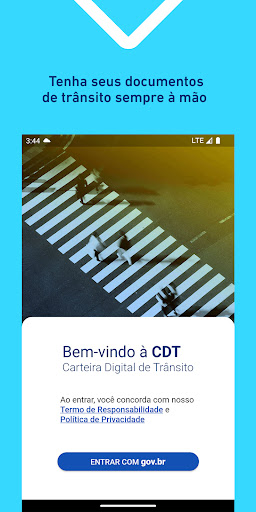
Carteira Digital de Trânsito
A Carteira Digital de Trânsito (CDT) é a evolução da CNH Digital. Agora, além da Carteira Nacional de Habilitação - CNH, também é possível baixar a versão digital do Certificado de Registro e Licenciamento de Veículo – CRLV (Documento do Veículo).
ATENÇÃO:
- Para utilizar o CRLV Digital, antes de baixar o aplicativo verifique se o seu Estado está habilitado a emitir o CRLV Digital;
- Para utilizar a CNH Digital, verifique se sua CNH impressa já possui QR Code no verso (CNHs emitidas a partir de 01/05/2017).
A CNH Digital e o CRLV Digital são as versões digitais da Carteira Nacional de Habilitação e do Certificado de Registro e Licenciamento de Veículo com o mesmo valor jurídico das respectivas versões impressas.
As versões digitais trazem vantagens adicionais que propiciam maior mobilidade, praticidade e comodidade por meio de:
- Fácil compartilhamento das informações (exportação para PDF com assinatura digital (.P7S) no padrão da ICP-Brasil com validade legal conforme MP 2.200-2/2001). Isto evita a impressão e/ou digitalização de documentos, bem como dispensa a autenticação cartorial;
- Pode ter sua autenticidade, confiabilidade e integridade validada facilmente através do aplicativo Vio. Para isso, basta baixar o app Vio e apontar o leitor para o QR Code do seu documento digital.
Para mais detalhes acesse:
Perguntas frequentes:
https://portalservicos.denatran.serpro.gov.br/#/faq/carteiradigital
Tutorial:
https://portalservicos.denatran.serpro.gov.br/carteiradigital/tutoriais/html/index.html

